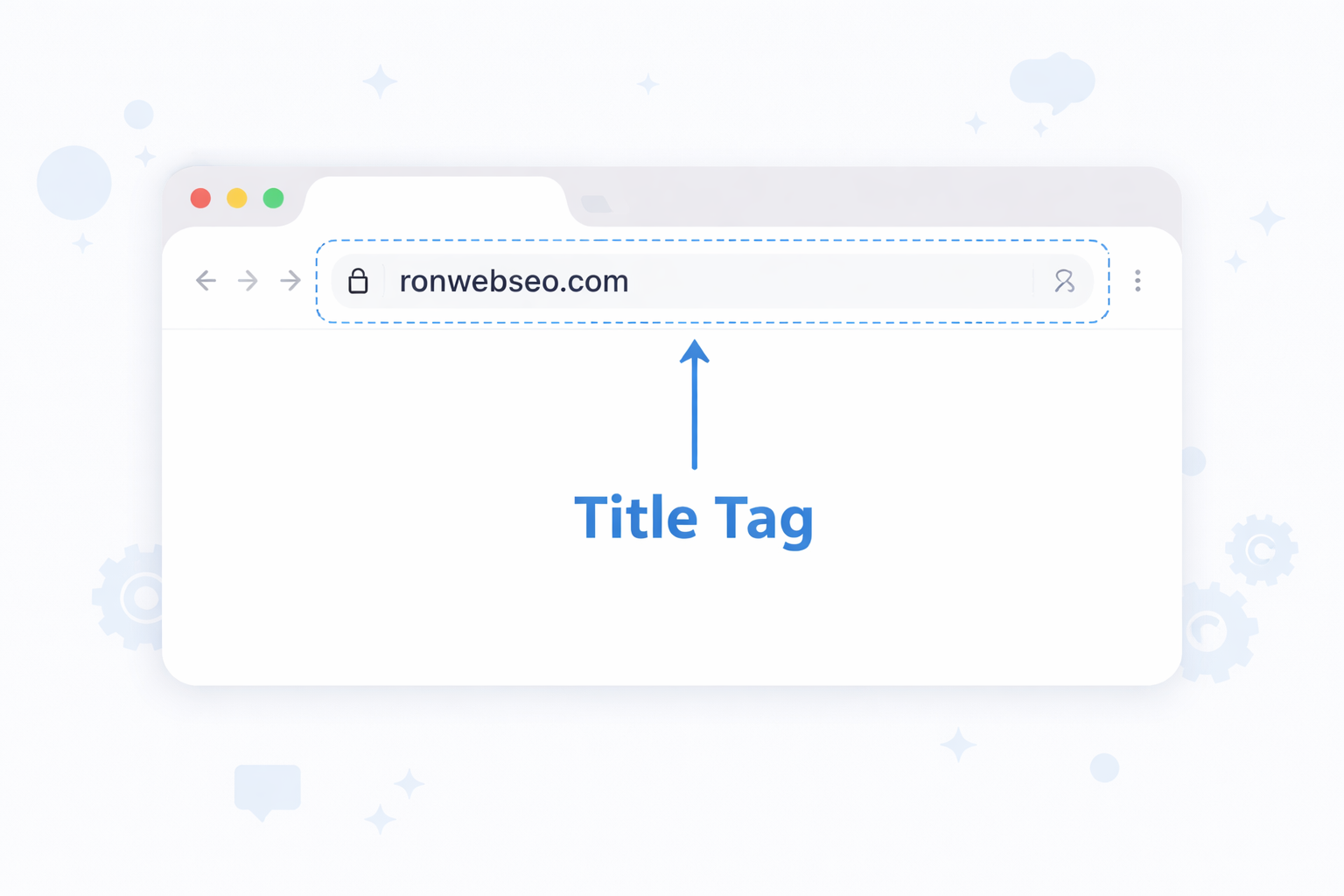
Definition:
A title tag is the clickable headline that appears on search engine results pages (SERPs) and browser tabs.
What Is a Title Tag?
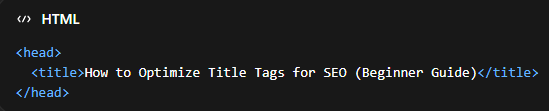
A title tag is an HTML element placed inside the <head> section of a webpage that defines its title. This title is not usually visible within the page content itself, but it plays a critical role in how your page is presented in search engines.
Example Code:
The title tag serves three major purposes in SEO:
- Context for search engines – It tells search engines what your page is about, helping them determine when to show your page in search results.
- Decision factor for users – It acts as the “headline” users see before clicking your page.
- Relevance signal– It helps match your page with specific queries, especially when aligned with proper keyword research and long-tail keywords.
Where Do Title Tags Appear?
Title tags are more visible and easier to spot at than most people think. They most of the time appear in:
Search Engine Results Pages (SERPs)
Your title tag becomes the clickable blue link in Google search results.
Example:

This is where users:
- Compare your page with competitors
- Decide whether your content is relevant
- Choose which result to click
Keep in mind that if your title is weak, you will lose traffic even though you ranked well.
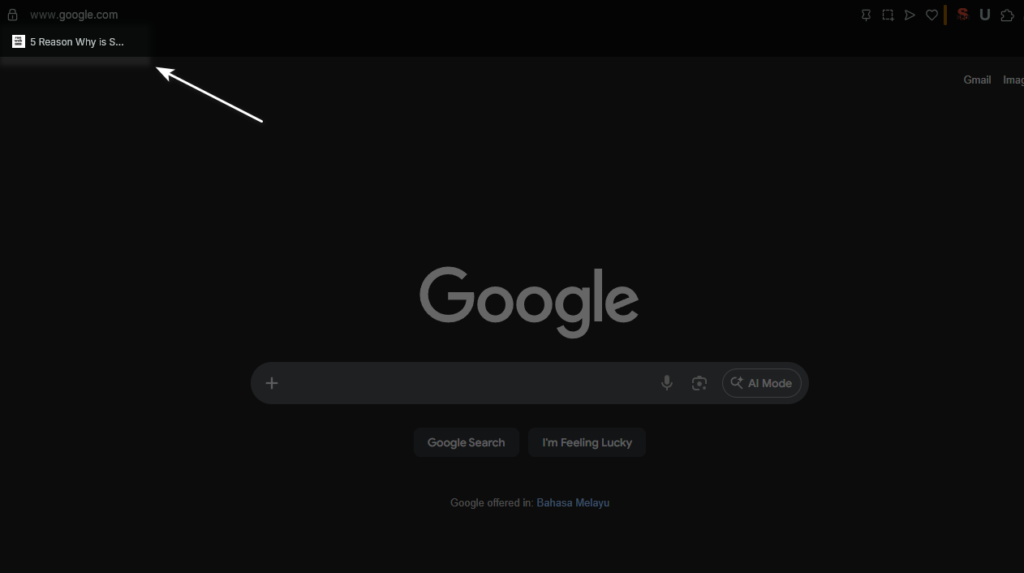
Browser Tabs
Title tags are displayed on top of user’s tab to help when they open multiple tabs, your title tag helps them identify your page.
A clear title improves user experience by reducing confusion and preventing users from immediately closing the tab.

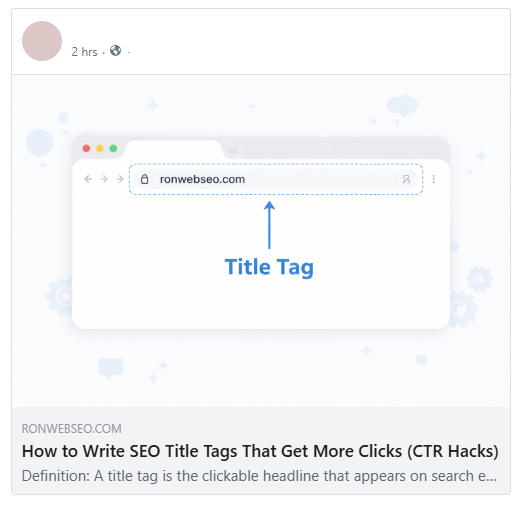
Social Media Sharing
When your page is shared, platforms often use your title tag as the main headline.
This indirectly affects traffic and visibility beyond search engines.
Bookmarks & History
Saved pages use the title tag as their label.
A clear title increases the chances that users will return to your page, helps them identify your content, and encourages better click-through rates.
Example of history page:

Example of bookmark tab:
Why Are Title Tags Important?
Title tags influence both ranking algorithms and human behavior, making them one of the most powerful SEO elements.
1. They Influence Rankings
Search engines use title tags to understand:
- Topic relevance
- Keyword targeting
- Content focus
When your title aligns with keyword research, your chances of ranking increase significantly.
2. They Control Click-Through Rate
Even if your page ranks No. 1, users won’t click if your title is weak.
Example:
- Bad – SEO Guide
- Good – SEO Guide for Beginners: Step-by-Step to Rank Higher
This is where title tags outperform even meta descriptions in importance.
3. They Help Match Search Intent
Search engines aim to show results that best match what users want.
Types of intent:
- Informational – How to optimize title tags
- Commercial – Best SEO tools
- Navigational – Brand search
If your title doesn’t match intent, your ranking and CTR will suffer.
4. They Improve Content Visibility in Competitive Niches
In competitive topics like SEO vs SEM, your title is often the deciding factor between you and your competitors.
How to Optimize Title Tags
1. Keyword Placement Matters
Place your primary keyword at the beginning.
Example:
Title Tag Optimization Guide: Improve SEO Rankings Fast
This reinforces relevance to search engines.
2. Optimize for Both SEO + CTR
Don’t just target keywords, target clicks as well.
Combine:
- Keyword
- Benefit
- Curiosity
For example, instead of writing a plain keyword-focused title like:
Title Tag SEO Guide
You can make it more compelling by adding a benefit:
Title Tag SEO Guide: Boost Rankings & Get More Clicks
This tells users exactly what they’ll gain.
You can go even further by introducing curiosity:
How to Optimize Title Tags (Why Most Websites Get It Wrong)
This creates a curiosity gap, making users want to find out what mistakes they might be making.
Another effective approach is combining numbers with a strong promise:
10 SEO Title Tips That Skyrocket Your Rankings Fast
3. Use Semantic Variations
Instead of repeating the same keyword, use variations.
Example:
- Title Tag SEO
- Optimize Title Tags
- SEO Title Writing
Supports broader on-page SEO signals
4. Avoid Over-Optimization
Keyword stuffing reduces readability and trust.
5. Align With Content
Your title must match your page content.
Misleading titles increase bounce rate and hurt rankings.
6. Consider Pixel Width, Not Just Characters
Google truncates titles based on pixel width (~600px), not just character count.
What Does Google Say About Title Tags?
According to Google’s guideline, here are some of the best practices regarding to writing title tags:
- Write descriptive and concise titles
- Avoid repetitive keywords
- Ensure each page has a unique title
- Reflect the actual page content
Google provides clear guidelines on writing title tags, making them easier to optimize. However, it’s important to note that Google may rewrite titles in search results. According to research done by Portent, Google rewrote title tags 63% of the time. and best practices continue to evolve as SERPs and user behavior change.
Important Behavior: Title Rewriting
Speaking of Google may rewrite your title if:
- It’s too long
- It lacks clarity
- It’s stuffed with keywords
- It doesn’t match the query
This is why modern SEO focuses on user-first titles, not just keyword placement.
How to Set or Update Title Tags
1. WordPress
Rank Math
- Install and Active Rank Math
- Go to WordPress dashboard > Plugins > Add New.
- Search for Rank Math SEO
- Click Install Now > Active
- Open the Page or Post
- Go to Pages or Post in WordPress dashboard
- Open any of the page or post that you want to add or update title tag
- Look for Rank Math SEO Meta Box
- On the page/post editor, look at top right for the Rank Math button > Click it
- Under General > Edit Snippet
- You’ll see SEO Title, Permalink, and Meta Description fields.
- Set the Title Tag
- Click the SEO Title field. You can either:
- Type your custom title directly.
- Or use variables like
%title% | %sitename%to automatically pull the post title and site name. - Rank Math will show a preview of how your title may appear in Google.
- Optimize the Title
- Make sure your primary keyword is in the title.
- Keep it under ~60 characters for optimal display in search results.
- Ensure the title is click-friendly (for CTR) and aligns with your content.
- Close Preview Snippet Editor
- After setting your title, click “X” button to close
- Rank Math will automatically generate the title tag for Google based on your input.
Yoast
- Install and Activate Yoast SEO
- Go to your WordPress dashboard > Plugins > Add New.
- Search for Yoast SEO.
- Click Install Now > Activate.
- Open the Page or Post
- Go to Posts or Pages in your WordPress dashboard.
- Open the post or page you want to edit.
- Scroll to the Yoast SEO Meta Box
- On the editor, scroll down to the Yoast SEO section.
- You’ll see SEO title, Slug, and Meta description fields.
- Set the Title Tag
- Click the SEO title field.
- You can either:
- Type your custom title directly.
- Or use variables like
%%title%% - %%sitename%%to automatically pull the post title and site name.
- Yoast SEO will show a preview of how your title may appear in Google.
- Optimize the Title
- Include your primary keyword in the title.
- Keep the title under ~60 characters for proper Google display.
- Make it user-friendly and aligned with content for better CTR.
- Avoid over-optimization or keyword stuffing.
- Update or Publish
- Click Update or Publish to save changes.
- Yoast will automatically generate the title tag for Google based on your input.
2. Shopify
- Log in to Shopify Admin
- Go to your Shopify dashboard at yourstore.myshopify.com/admin.
- Sign in with your account.
- Open the Page or Product
- For Products: Go to Products > All Products > Select a Product.
- For Pages: Go to Online Store > Pages > Select a Page.
- For Collections: Go to Products > Collections > Select a Collection.
- Scroll to the Search Engine Listing Preview
- Scroll down to Search engine listing preview.
- Click Edit website SEO.
- Set the Title Tag
- In the Page title field, enter your optimized title.
- Include your primary keyword.
- Keep it under ~60 characters for proper display in Google.
- The URL and meta description can also be adjusted here.
- In the Page title field, enter your optimized title.
- Optimize for CTR and SEO
- Make your title click-friendly (attractive to users).
- Ensure it aligns with the page content.
- Avoid keyword stuffing.
- Save Changes
- Click Save at the top or bottom of the page.
- Shopify will automatically use this as the title tag for Google and other search engines.
3. Static HTML Websites
Edit manually:

5 Steps to Write a High-Performing SEO Title
Step 1: Start With Keyword Research
Identify:
- Primary keyword
- Supporting long-tail keywords
Step 2: Add Clear Value
Tell users what they gain.
Example:
Increase Traffic, Boost Rankings
Step 3: Use Emotional or Power Words
Trigger action:
- Proven
- Best
- Easy
- Ultimate
Step 4: Keep It Concise
Stay within 50–60 characters or ~600px
Step 5: Match Intent Precisely
If users want a guide, don’t give a list.
Final Optimized Example:
How to Optimize Title Tags for SEO (10 Proven Tips)
How to Measure Title Tag Performance (Advanced GSC Guide)
Using Google Search Console, you can evaluate how effective your title tags are.
Step-by-Step:
1. Go to “Performance” Report
Filter by:
- Page
- Query
2. Analyze CTR
Click-Through Rate (CTR) tells you how attractive your title is.
Low CTR = weak or unappealing title
3. Compare Queries vs Titles
Check if your title matches actual search queries.
4. Identify Opportunities
- High impressions + low clicks > improve title
- Ranking position 5–10 > optimize title for CTR boost
5. Test & Iterate
Update your title and monitor changes over 2–4 weeks.
This process strengthens your on-page SEO strategy over time.
Frequently Asked Questions
Can I use the same title tag on multiple pages?
No. Each page should have a unique title to avoid confusion and ranking issues.
How long should a title tag be?
Ideally between 50–60 characters or under 600 pixels to avoid truncation.
Why is my title not showing correctly on Google?
Google may rewrite your title if it is too long, unclear, or not aligned with search intent.
Do title tags still matter for SEO in 2026?
Yes, they remain one of the most important on-page SEO ranking factors.